
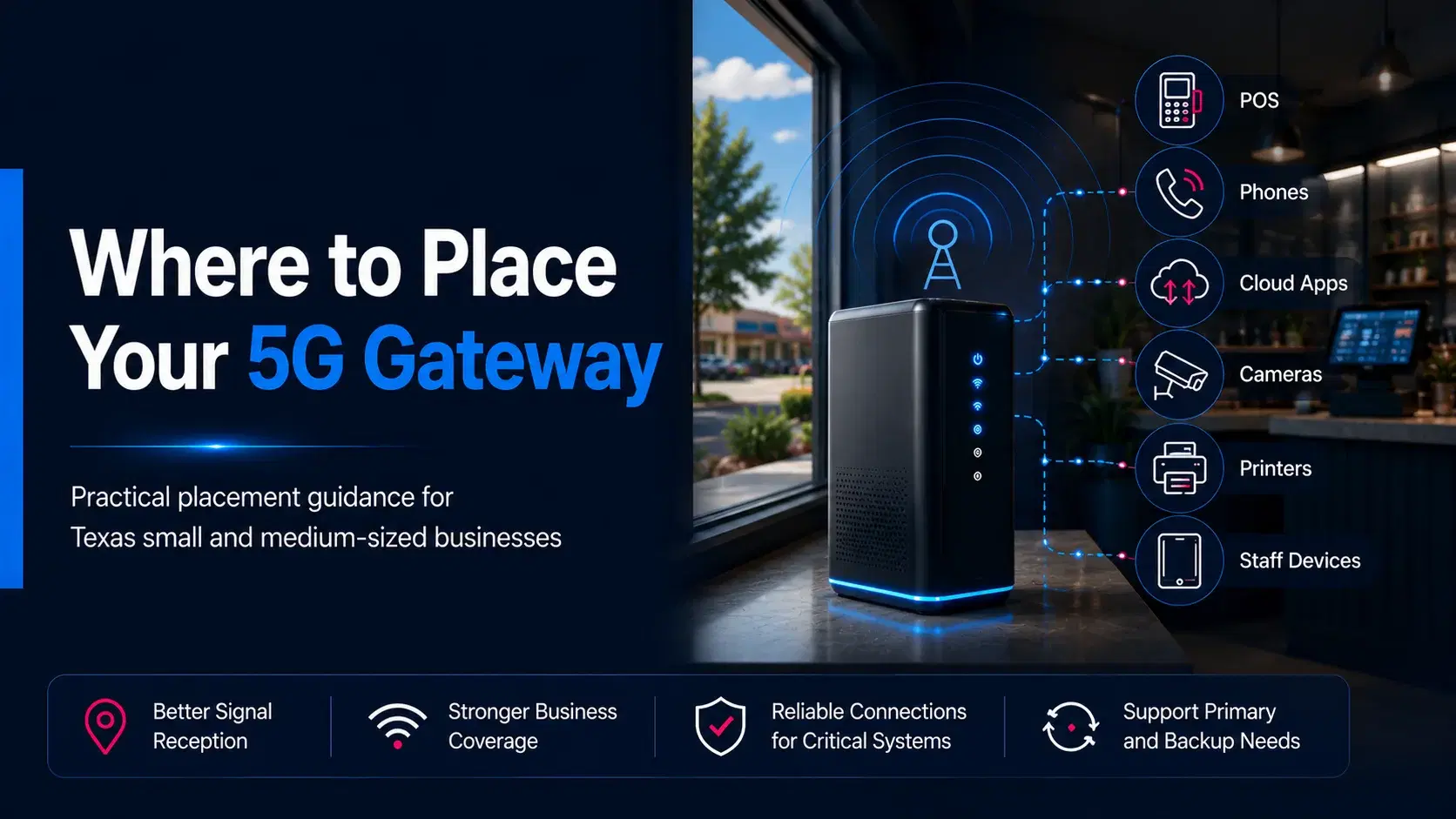
A 5G business internet gateway can be simple to activate, but where you place it inside the building can affect how well it serves the business. A gateway set in the first convenient corner may work, yet another position only a few feet away may provide a more stable connection or better coverage for the systems that matter most.
There is no single perfect placement that applies to every restaurant, shop, clinic, office, warehouse, or service location. Building materials, window direction, room layout, nearby obstructions, equipment locations, and the exact business address can all change the result. The safest approach is to begin with a sensible location, test more than one option, and confirm that the actual business systems work reliably before treating the setup as finished.
This guide explains a practical, nontechnical process for placing and testing a 5G gateway. It does not promise a particular speed or result. Instead, it helps business owners make a careful placement decision and recognize when local setup assistance may be useful.
Why 5G Gateway Placement Matters
A 5G gateway connects to a mobile network and then shares that connection with devices inside the business. Its location therefore affects two separate parts of the setup: how the gateway receives the outside signal and how effectively it distributes connectivity through the interior space.
A position may be good for receiving a network signal but inconvenient for connecting nearby equipment. Another position may be close to the point-of-sale system but surrounded by walls, shelving, appliances, or metal fixtures. Good placement balances these needs rather than focusing on only one of them.
For a small business, gateway placement can influence everyday tasks such as:
- Processing card payments and running point-of-sale terminals.
- Using cloud applications, email, scheduling, and file storage.
- Supporting business phones, tablets, laptops, and staff devices.
- Connecting cameras, printers, kiosks, or customer-facing systems.
- Providing a backup path for selected systems during a wired outage.
The objective is to find a practical location that supports the business workflow consistently and safely.
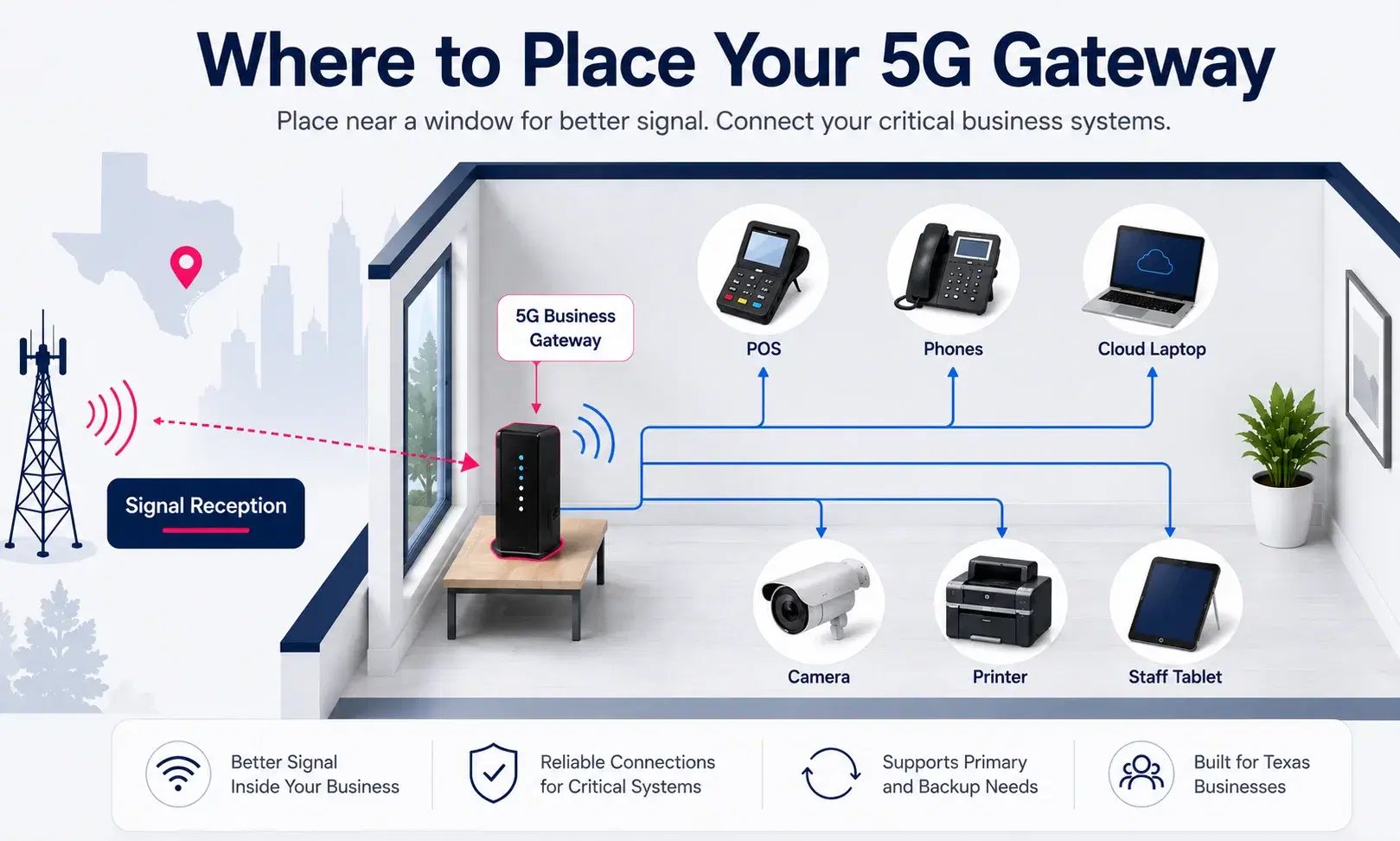
Start Near a Suitable Window
A window is often a useful starting point because it may reduce the amount of dense building material between the gateway and the outside network. That does not mean every window will produce the same result, or that the gateway must remain directly against the glass. It simply gives you a logical first location to test.
Choose a window area that is accessible, dry, stable, and close enough to a safe power source. Place the gateway on a firm shelf, counter, desk, or other secure surface. Avoid balancing it on a narrow ledge or positioning it where customers, staff, cleaning crews, or deliveries could knock it down.
Different sides of a building can behave differently. A front window may work better than a rear office window, while a side window may outperform both. In a shopping center, interior suite, older downtown property, or building with coated glass, the most obvious window may not be the strongest location. Testing is more reliable than assuming.
Avoid Common Obstructions and Problem Areas
Many placement problems come from surrounding the gateway with materials or equipment that interfere with reception, airflow, or indoor coverage. A gateway should generally have open space around it and should not be hidden simply to make the room look cleaner.
Keep It Away From Dense Materials
Concrete walls, brick, metal panels, reinforced structures, utility rooms, elevator areas, and large storage fixtures can make some positions less effective. A gateway placed deep inside a back room may have more material between it and the outside than one placed near an exterior wall or window.
Do Not Hide It Inside Furniture
Avoid placing the gateway inside a closed cabinet, metal enclosure, drawer, or tightly packed equipment rack unless the equipment instructions specifically support that arrangement. Enclosed spaces can restrict airflow and may also reduce wireless coverage inside the business.
Create Distance From Large Equipment
Restaurants may have refrigerators, stainless-steel preparation areas, ovens, freezers, and other large appliances. Retail stores may have metal shelving, stockroom racks, security hardware, and display structures. Offices and clinics may have equipment rooms, file storage, printers, or dense interior partitions. The gateway does not always need to be far away, but it should not be pressed directly against large equipment when another practical location is available.
Protect It From Heat, Moisture, and Traffic
Do not place the gateway next to a sink, cooking line, steam source, direct heat source, or an area exposed to spills. Avoid unstable surfaces and busy pathways. A technically promising location is not suitable if the device can be damaged, unplugged, covered, or moved accidentally during normal operations.
Test More Than One Location
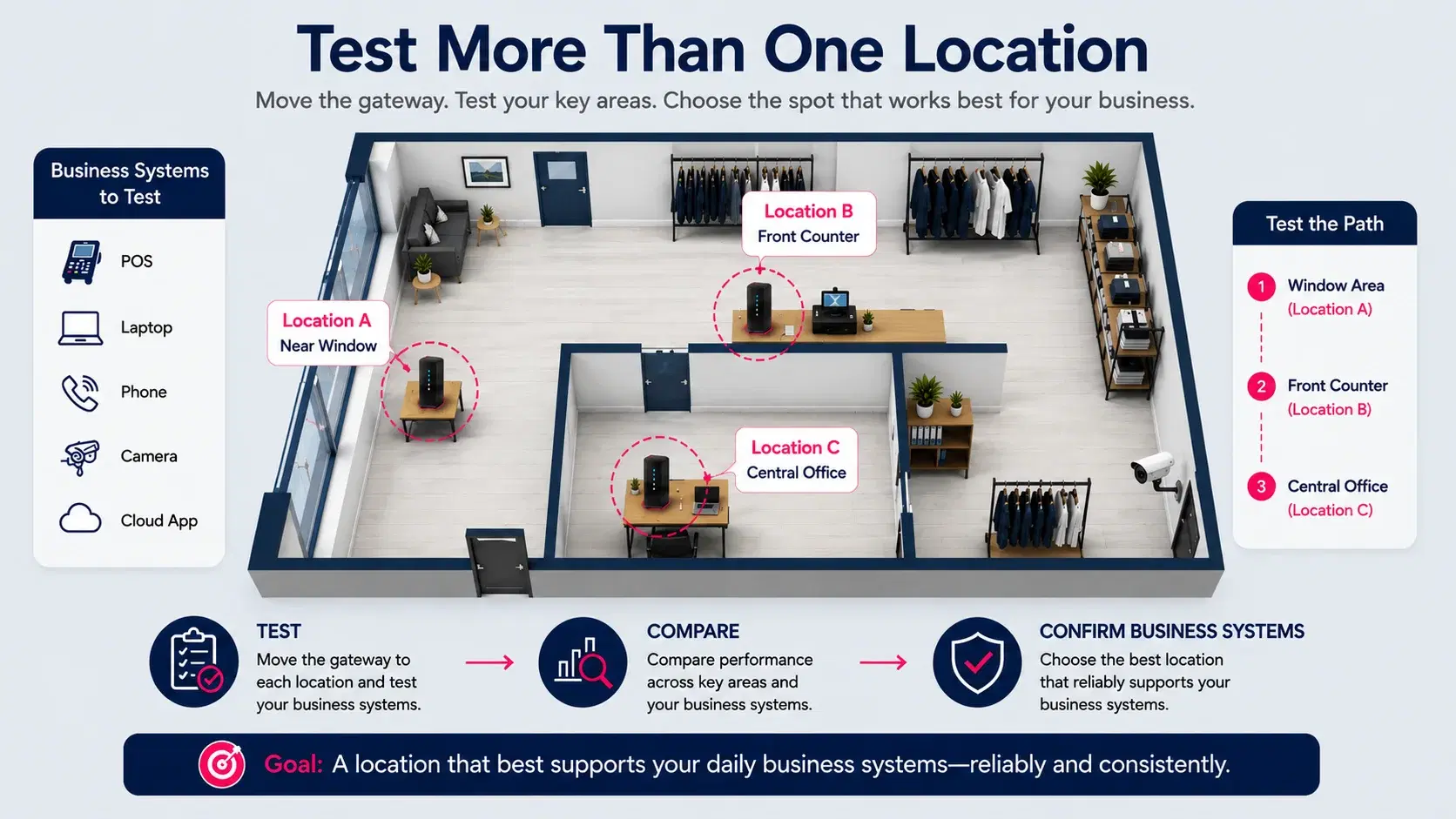
Treat the first location as a starting point, not a final answer. Because buildings differ, compare several realistic positions.
Begin with two or three safe locations, such as different windows or an exterior-facing area and a central work area. Allow the gateway to fully reconnect after each move. Then test at similar times and under similar business conditions so the comparison is meaningful.
Do not rely only on one speed test from a phone standing beside the gateway. A business setup should be judged by whether the systems and work areas that depend on it perform as expected. Consider checking:
- A point-of-sale terminal or payment device.
- A staff computer using the main cloud applications.
- A phone, tablet, or laptop in the farthest important work area.
- A scheduling, ordering, inventory, or customer-management system.
- Any selected device expected to use the connection during backup operation.
Record simple observations for each location. Note whether devices connect, whether important applications remain usable, whether coverage reaches the required areas, and whether cables can be managed safely. The best location is often the one that produces the most balanced business result, not the highest isolated test reading.
Plan for Power, Cables, and Daily Operations
A gateway location must work physically as well as digitally. Before choosing the final position, look at power access, cable routes, staff movement, furniture, opening and closing procedures, and any equipment that needs a direct connection.
Use a Safe and Reliable Power Source
Place the gateway near an appropriate outlet without stretching a power cable across a doorway, counter, kitchen path, customer area, or work zone. Avoid loose extension cords and overloaded power strips. If the business uses battery backup or surge protection for selected network equipment, make sure the planned arrangement follows the equipment instructions and normal electrical-safety practices.
Think About Ethernet Before Finalizing the Location
Some business systems may connect over Wi-Fi, while others may use Ethernet. A window position can be good for the gateway but too far from a point-of-sale station, router, switch, phone system, or back-office computer. Before making the placement permanent, confirm whether any wired connection is needed and whether the cable can be routed without creating a trip hazard or an untidy installation.
Do not sharply bend, pinch, or run cables through unsafe areas. If a longer or more complex route is required, setup help may be preferable to an improvised cable path.
Prevent Accidental Disconnection
The gateway should not share a plug that staff regularly remove for cleaning equipment, seasonal displays, chargers, or appliances. Labeling the power connection can help prevent someone from unplugging it without realizing that payments, phones, cameras, or cloud tools depend on it.
Confirm Coverage for Real Business Systems
A gateway is not successfully placed merely because it turns on and connects. The final check is whether the intended business systems can use the connection from the places where work actually happens.
In a restaurant, test the front counter, payment stations, manager office, kitchen display area, and any online-ordering equipment that is expected to connect. In a retail store, check the register area, back office, stockroom, handheld devices, and customer-service station. In a clinic or professional office, review the reception desk, staff work areas, phones, scheduling systems, and rooms where connected devices are used.
If the gateway is intended as 5G backup internet, identify which systems are supposed to remain available during a primary outage. A backup plan may prioritize payments, phones, scheduling, or selected computers rather than every device and guest network in the building. Test the intended backup workflow instead of assuming all systems will automatically switch or remain connected.
Businesses reviewing primary or backup connectivity can compare available options on the dedicated business internet page. Because service availability and practical setup conditions vary by exact address, the final decision should be based on the specific location and business use case.
A Simple Gateway Placement Checklist
Before treating the installation as complete, confirm the following:
- The gateway is on a stable surface in a dry, ventilated, low-risk area.
- At least two realistic locations were tested rather than relying on the first position.
- The selected location is near a suitable window or exterior-facing area when practical.
- The device is not enclosed in a cabinet or blocked by dense materials and large equipment.
- Power and Ethernet cables are secure, organized, and away from walkways or work hazards.
- Important business systems were tested from their normal operating locations.
- Staff understand which outlet and cables belong to the gateway.
- The business has confirmed whether the connection is primary, backup, or part of a broader setup.
For Texas businesses, it is also useful to begin with an exact-address review. A location in Austin, Houston, Dallas, San Antonio, Fort Worth, Arlington, El Paso, or Corpus Christi may have different conditions from another address in the same city.
When to Ask for Setup Help
Many small businesses can complete basic placement testing on their own. Setup assistance becomes more valuable when the building is difficult, the business has several connected systems, the gateway must support backup operations, or the best signal location creates cable and coverage challenges.
Consider asking for help when:
- Several locations produce inconsistent results and you are unsure which tradeoff is best.
- The gateway works near a window but important systems do not receive adequate indoor coverage.
- POS, phones, cameras, cloud systems, or other devices require coordinated testing.
- The business needs a primary-to-backup transition plan rather than a standalone connection.
- Ethernet routing, equipment placement, or power access is becoming complicated.
- The building includes thick walls, metal construction, multiple floors, a long narrow layout, or separated work areas.
- The business operates more than one location and wants a consistent review process.
Local5GDeals helps Texas businesses review address-level availability, activation, equipment placement, and setup questions. The company is an independent T-Mobile for Business Partner and is not owned by or operated by T-Mobile. To begin, use the business availability form and include the exact business address, service type, and any systems or layout concerns that may affect placement.
Frequently Asked Questions
Should a 5G business gateway always be placed next to a window?
A suitable window is a useful starting point, but it is not a universal rule. Different windows, building materials, surrounding structures, and indoor coverage needs can change the result. Test more than one safe location before deciding.
Can I place the gateway inside a cabinet?
A closed cabinet may restrict airflow and reduce wireless coverage. Unless the equipment instructions specifically allow it, use an open, stable, ventilated location instead.
How high should a 5G gateway be placed?
There is no single height that works for every building. A raised, stable surface can be a practical starting point, but the important step is to compare safe positions and test the actual business systems.
Can a gateway be placed near a refrigerator, oven, or metal shelf?
Large appliances, metal fixtures, heat, and moisture can make a location less suitable. Create reasonable separation and choose a safe area where the gateway is not exposed to heat, steam, spills, or heavy obstruction.
Should I choose the location with the highest speed-test result?
Not necessarily. A business needs a balanced setup. Confirm that payments, cloud tools, phones, cameras, and required work areas function reliably. One high reading beside the gateway does not prove that the complete business setup is ready.
How do I test a gateway that will be used for backup internet?
Identify the systems that must remain available during an outage, then test that backup workflow. Confirm how those systems connect and whether the intended transition process works. Seek setup assistance when the arrangement involves multiple devices or network equipment.
Does gateway placement vary by address?
Yes. Buildings, window directions, construction materials, local network conditions, and surrounding obstructions differ. That is why Local5GDeals begins with the exact business address and recommends practical testing.
How can I get help with 5G business gateway placement?
Submit the exact business address through Local5GDeals and describe whether the service is intended for primary internet, backup connectivity, or another business need. A local partner can help review realistic next steps for activation and placement.