
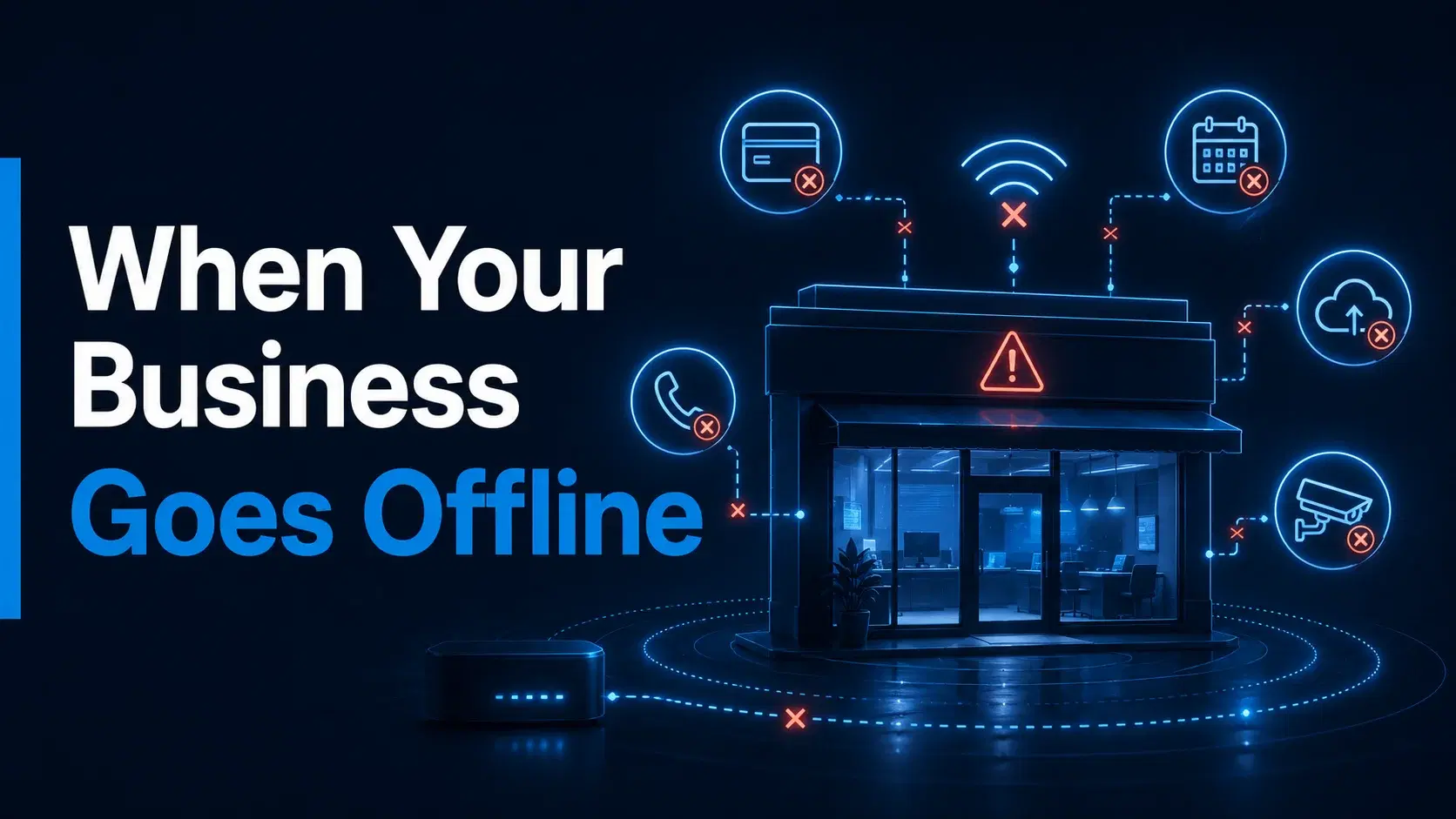
An internet outage rarely begins with a dramatic warning. It may start with a card reader that keeps loading, a phone call that suddenly drops, or an employee who cannot open the booking calendar.
Within minutes, the problem can spread across the business.
Customers may be waiting to pay. Staff may be unable to access schedules or cloud files. Online orders may stop appearing. Managers may lose remote access to cameras. Employees may begin using personal hotspots or writing information down manually.
For a business that depends on connected systems, an outage is not simply an IT problem. It is an interruption to normal operations.
Businesses reviewing their main connection can also learn how to choose the right business internet service.
Understanding what may stop, what must remain available, and how the team should respond can help a business prepare before the next disruption occurs.
Common Causes of Business Internet Outages
An outage can begin outside the business, inside the building, or with the equipment connecting everything together.
External causes may include:
- Damage to a provider’s cable or local infrastructure
- Construction work near the business
- Severe weather
- Area-wide service interruptions
- Scheduled or emergency network maintenance
Internal causes may include:
- A router or modem problem
- Damaged cables inside the location
- An incorrect network setting
- Equipment being unplugged or moved
- A failed switch, firewall, or access point
- Loss of power to networking equipment
The source is not always immediately obvious.
Employees may spend valuable time restarting devices or calling different support contacts before they know whether the issue affects one computer, the entire location, or the surrounding area.
That uncertainty is one reason businesses should prepare an outage response in advance.
How an Outage Spreads Through the Business
The effect of an outage depends on how many daily systems use the same internet connection.
A small business may initially notice only one failed application. However, the interruption can quickly affect several departments or customer interactions.
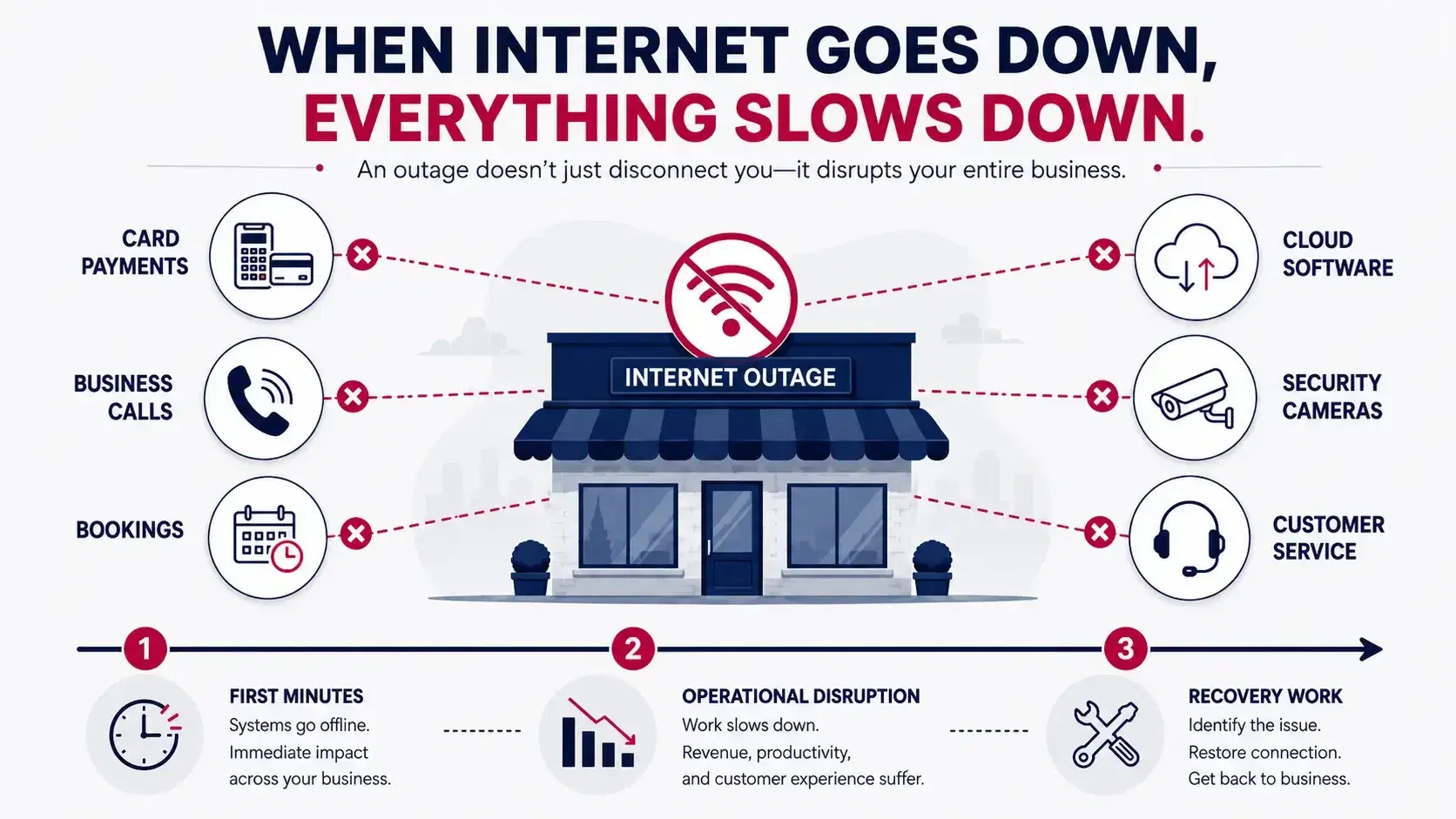
Payments May Slow Down or Stop
Many retail stores, restaurants, salons, clinics, and service businesses use internet-connected payment systems.
When the connection fails, card terminals may be unable to complete normal processing. Even when a payment system offers an offline option, its features and limitations should be understood before an outage occurs.
Without a clear alternative, employees may be forced to ask customers to wait, use another payment method, or return later.
Business Calls May Be Interrupted
Internet-based business phone systems require connectivity to place and receive calls.
An outage may prevent customers from reaching the location or stop employees from making outbound calls. This can affect appointment confirmations, sales inquiries, customer support, supplier communication, and coordination with mobile workers.
Bookings and Schedules May Become Unavailable
Appointment-based businesses often rely on online calendars and scheduling platforms.
During an outage, staff may be unable to:
- View upcoming appointments
- Confirm customer information
- Add new bookings
- Reschedule existing appointments
- Send automated reminders
- Check employee availability
This creates a difficult situation when customers arrive but the team cannot access the information needed to serve them.
Cloud Applications May Be Out of Reach
Accounting platforms, inventory systems, customer records, shared documents, project tools, and industry-specific software are frequently accessed through the internet.
Employees may still have working computers, but the applications and information required to complete their jobs may be unavailable.
Online Orders May Stop Appearing
Restaurants, retailers, and other businesses may receive orders through websites, delivery platforms, marketplaces, or connected point-of-sale systems.
An outage can interrupt the flow of new orders or prevent staff from updating order statuses.
Cameras and Monitoring Tools May Lose Remote Access
Some security cameras continue recording locally during an internet interruption, while remote viewing, alerts, or cloud recording may become unavailable.
The exact result depends on the camera and storage configuration.
Businesses should understand which security functions continue locally and which require an active connection.
Customer Wi-Fi and Connected Experiences May Fail
Guest Wi-Fi, digital menus, customer check-in tools, kiosks, and other connected experiences may also stop working.
These systems may not be as critical as payments or phones, but their failure can still create confusion and reduce service quality.
The First 15 Minutes of an Outage
The first response should focus on confirming the problem and protecting customer-facing operations.
Employees should know who is responsible for checking the connection and who will communicate with customers.
A simple first-response process may include:
- Confirm whether the problem affects one device or the entire location.
- Check whether the router, modem, or gateway has power.
- Test more than one connected device.
- Check whether business phones and payment systems are also affected.
- Contact the appropriate provider or internal support person.
- Inform employees which systems are unavailable.
- Begin the approved temporary process for customers and transactions.
The goal is not to turn every employee into a network technician. It is to prevent several people from trying different fixes while no one manages the operational impact.
The Hidden Work Created by Downtime
The disruption does not always end when the connection returns.
During an outage, employees may create temporary notes, accept information manually, delay updates, or move to personal devices. Once service is restored, that work may need to be checked and entered into the proper systems.
The business may need to:
- Re-enter customer information
- Update delayed orders
- Confirm whether payments were completed
- Reconcile handwritten transactions
- Return missed calls
- Respond to delayed messages
- Update schedules
- Check camera or security alerts
- Notify customers about service delays
- Confirm that cloud applications are synchronized
This recovery work is easy to overlook when evaluating outage risk.
The total impact is not only the time spent offline. It also includes the effort required to return the business to its normal process.
Direct and Indirect Business Effects
An outage can create immediate operational problems without producing an easily measurable financial figure.
Direct effects may include:
- Transactions that cannot be completed
- Calls that cannot be answered
- Orders that cannot be received
- Employees who cannot access required tools
- Appointments that cannot be viewed or updated
- Customer service delays
Indirect effects may include:
- Customers deciding not to wait
- Employees using inconsistent workarounds
- Increased risk of missing or duplicate information
- Extra administrative work after reconnection
- Confusion between office and field teams
- Reduced confidence in the customer experience
The effect will be different for every business. The important question is not, “How much does every outage cost?”
A more useful question is, “Which parts of our business become unavailable, and how long can we operate without them?”
What Backup Internet Is Designed to Do
Backup internet gives the business a second connection that can be used when the regular connection becomes unavailable.
Its purpose is not necessarily to recreate the full normal network. Instead, it can be planned around a smaller group of essential systems.
For example, during normal operations, a business connection may support:
- Employee computers
- Guest Wi-Fi
- Streaming or digital displays
- Cameras
- Phones
- Payments
- Cloud applications
- Tablets
- Printers
- Connected equipment
During an outage, the backup connection might be reserved for:
- Card payments
- Business phones
- Booking tools
- Essential cloud applications
- Manager devices
- Customer communication
Prioritizing critical functions can make a backup plan more practical.
What Backup Internet Does Not Solve
A backup connection is only one part of business continuity.
It may not help when:
- The building has lost power
- The payment provider itself is unavailable
- A cloud application is experiencing an outage
- Internal networking equipment has failed
- Employees do not know how to use the backup process
- Critical devices are not connected to the secondary service
- The backup connection has not been tested
Businesses should avoid treating backup internet as a complete solution to every interruption.
The connection, power requirements, network equipment, staff process, and essential applications should be reviewed as parts of the same continuity plan.
Which Businesses Should Give Backup Internet Priority?
The need for business internet and backup planning is based more on outage tolerance than company size.
A business should give backup planning greater priority when a short interruption would immediately affect customers or essential work.
This may include businesses that depend heavily on:
- Card payments
- Online orders
- Business phone calls
- Appointment scheduling
- Cloud-based records
- Dispatch and field coordination
- Security monitoring
- Multi-location communication
Retail stores, restaurants, clinics, salons, professional offices, hospitality businesses, warehouses, and field-service companies often use several of these systems at the same time.
A useful test is to ask:
Could we continue serving customers for one hour without our main internet connection?
When the answer is no—or when the temporary process would create significant confusion—it may be time to review backup options.
Create a Critical-Systems Priority List
Before reviewing a backup connection, divide business systems into three groups.
Priority 1: Must Remain Available
These are systems the business needs to continue its most important customer or operational activities.
Examples may include payments, calls, bookings, dispatch, or access to essential records.
Priority 2: Useful but Temporarily Manageable
These systems are important but can be delayed briefly without stopping the business completely.
Examples may include routine email, internal reporting, file uploads, or nonurgent administrative work.
Priority 3: Can Wait Until the Primary Connection Returns
These systems can be paused during the interruption.
Examples may include guest Wi-Fi, software updates, entertainment services, and nonessential employee browsing.
This ranking helps prevent the backup connection from becoming overloaded with devices that do not need immediate access.
Questions to Answer Before Adding Backup Internet
A useful backup discussion should begin with operational questions:
- Which systems must stay working?
- How many devices support those systems?
- Who is responsible during an outage?
- Will the switch to backup be automatic or manual?
- How will employees know that backup service is active?
- Which devices should not use the backup connection?
- What happens if the location also loses power?
- How often will the backup process be tested?
- Who records any transactions or updates completed during the outage?
- What steps are required after the main connection returns?
These questions help turn backup internet from a product into a working continuity process.
Build a Simple Internet Outage Plan
The outage plan does not need to be a long technical document.
A one-page internal guide can include:
- Provider support contact information
- Account details
- The person responsible for reporting an outage
- The systems that receive backup priority
- Basic equipment checks
- Instructions for switching connections
- Customer communication guidance
- Temporary payment or booking procedures
- Steps for returning to the primary connection
- A recovery checklist
Keep the guide somewhere employees can reach without internet access.
The business should also test the process periodically. A backup connection that has never been tested may create new questions during the exact moment it is needed.
Prepare Before the Next Outage
Businesses cannot prevent every cable problem, equipment failure, weather event, or provider interruption.
They can decide how prepared they will be when one occurs.
Start by identifying the systems that stop when internet access disappears. Rank those systems by importance, document the first-response process, and determine whether a secondary connection should support the most critical operations.
Local5GDeals helps Texas businesses review 5G backup internet options for payments, calls, bookings, cloud tools, cameras, and other essential systems.
Review Backup Options
Do not wait for the next outage to discover which parts of your business cannot work offline.
Review the systems your team depends on, decide what should remain connected, and explore backup internet options for your business location.
Frequently Asked Questions
What business systems can be affected by an internet outage?
An outage may affect card payments, business phones, online orders, booking platforms, cloud applications, security camera access, staff devices, and customer Wi-Fi. The exact impact depends on how the business systems are configured.
What should employees do first when the internet goes down?
First determine whether the problem affects one device or the entire location. Check that networking equipment has power, test another device, report the outage, and begin the business’s approved temporary process.
What is backup internet?
Backup internet is a secondary connection that can be used when the regular business connection is unavailable. It is commonly planned around critical systems rather than every connected device.
Can backup internet keep card payments working?
It may help keep payment terminals connected when they are configured to use the secondary connection. Businesses should also confirm the payment system’s requirements and available offline features.
Does backup internet work during a power outage?
Not by itself. The modem, router, backup gateway, payment equipment, and other critical devices still require power. Businesses may need to review battery backup or other power-continuity options separately.
Which businesses benefit most from backup internet?
Businesses that rely on continuous payments, calls, bookings, online orders, cloud records, security monitoring, or field coordination are strong candidates for a backup review.
How often should a business test its backup connection?
It should be tested periodically and whenever important network equipment or business systems change. Testing helps confirm that employees understand the process and that critical devices can use the secondary connection.