
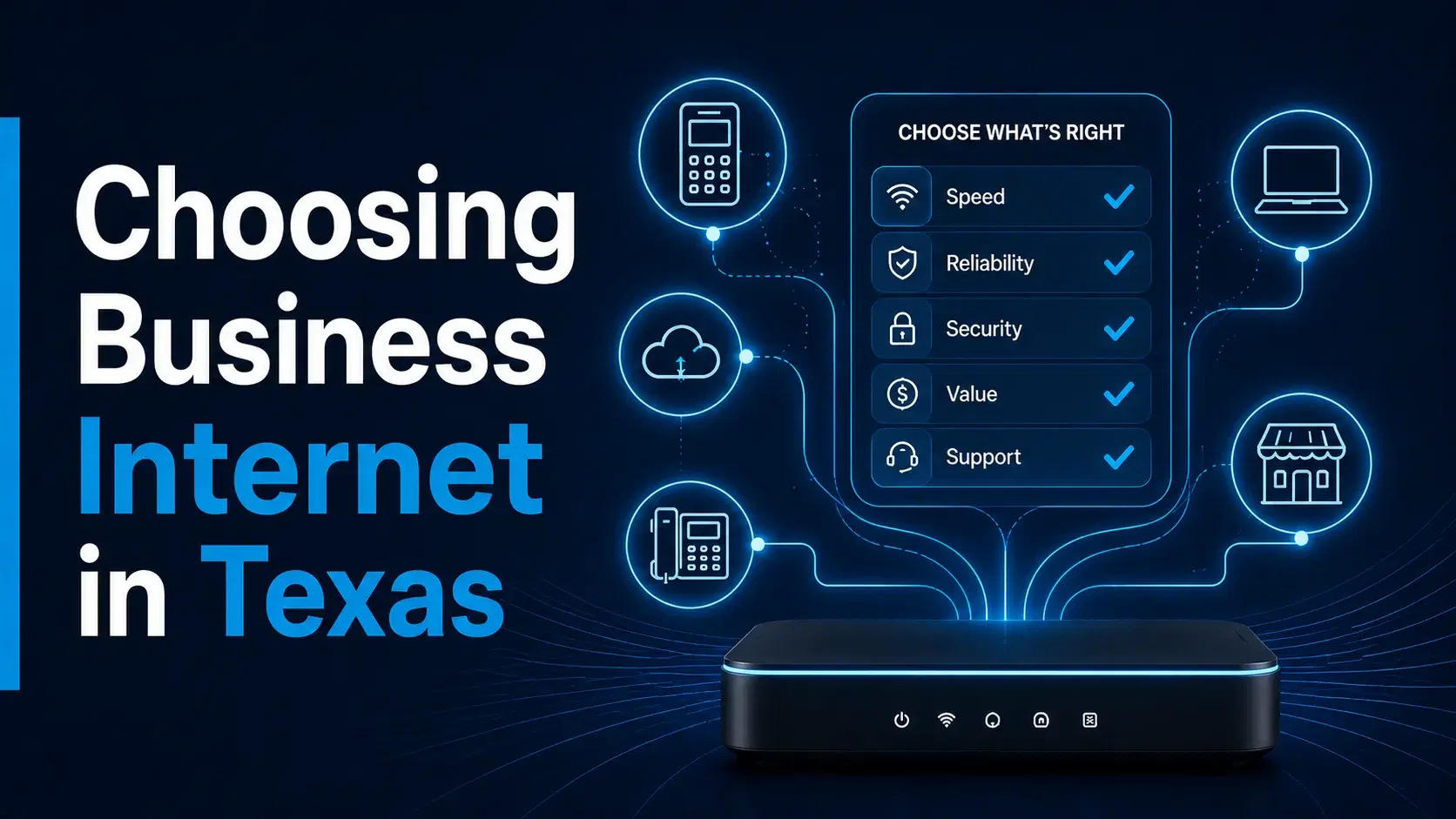
The best business internet decision does not begin with a speed chart. It begins with the systems your business must keep working. For a Texas small business, that can include point-of-sale terminals, business phones, security cameras, appointment scheduling, cloud software, online ordering, customer Wi-Fi, and mobile staff. Once those systems are clear, you can review primary and backup needs, check the exact address, plan equipment placement, and compare the support available during activation and after launch.
Owners are often encouraged to compare plans by advertised specifications alone. Those details can be useful, but they do not answer the most important operational questions. What happens if the connection is interrupted? Which devices need to stay online? Is the service available at the exact suite or storefront? Where will the gateway be placed? Who will help with activation? How will the business move from its current provider without creating unnecessary downtime?
A simple framework makes the decision easier. Start with business systems, separate primary and backup requirements, verify the exact address, review equipment and placement, plan the transition, and compare ongoing support. This approach works for shops, clinics, offices, salons, restaurants, contractors, professional services, and other small businesses across Houston, Dallas, Austin, San Antonio, Fort Worth, El Paso, Arlington, and Corpus Christi.
Start With the Business Systems That Depend on Internet
Before comparing providers or plans, write down the systems that use the connection. This creates a practical picture of what the internet must support during a normal day.
- Point-of-sale terminals and card-payment processing
- Business phones or cloud-based calling systems
- Security cameras, alarms, and remote monitoring
- Appointment scheduling, patient or client portals, and booking tools
- Cloud accounting, inventory, customer-management, and file-storage systems
- Online ordering, delivery platforms, and website administration
- Staff laptops, tablets, mobile phones, and shared devices
- Customer or guest Wi-Fi, where applicable
Next, rank those systems by importance. A payment terminal at a retail store may be essential, while guest Wi-Fi may be useful but not critical. A clinic may prioritize scheduling, phones, and secure cloud applications. A contractor may depend more heavily on mobile devices, dispatch tools, and access to cloud files. The priority list helps determine what the primary connection must handle and what should remain available during an outage.
This business-systems review is more useful than choosing a service based only on a large headline number. It keeps the decision connected to real work and reduces the chance of overlooking a system that later becomes a problem.
Understand Primary Internet Versus Backup Internet
Primary and backup internet solve different problems. A primary connection is the service the business expects to use every day. A backup connection is a second path intended to help when the primary line is unavailable.
When you are choosing a primary connection
Review the number of people, devices, cloud applications, calls, cameras, and customer-facing systems that operate at the same time. Also consider the business schedule. A location with short but extremely busy periods may have different requirements from an office with steady use throughout the day.
When you are choosing a backup connection
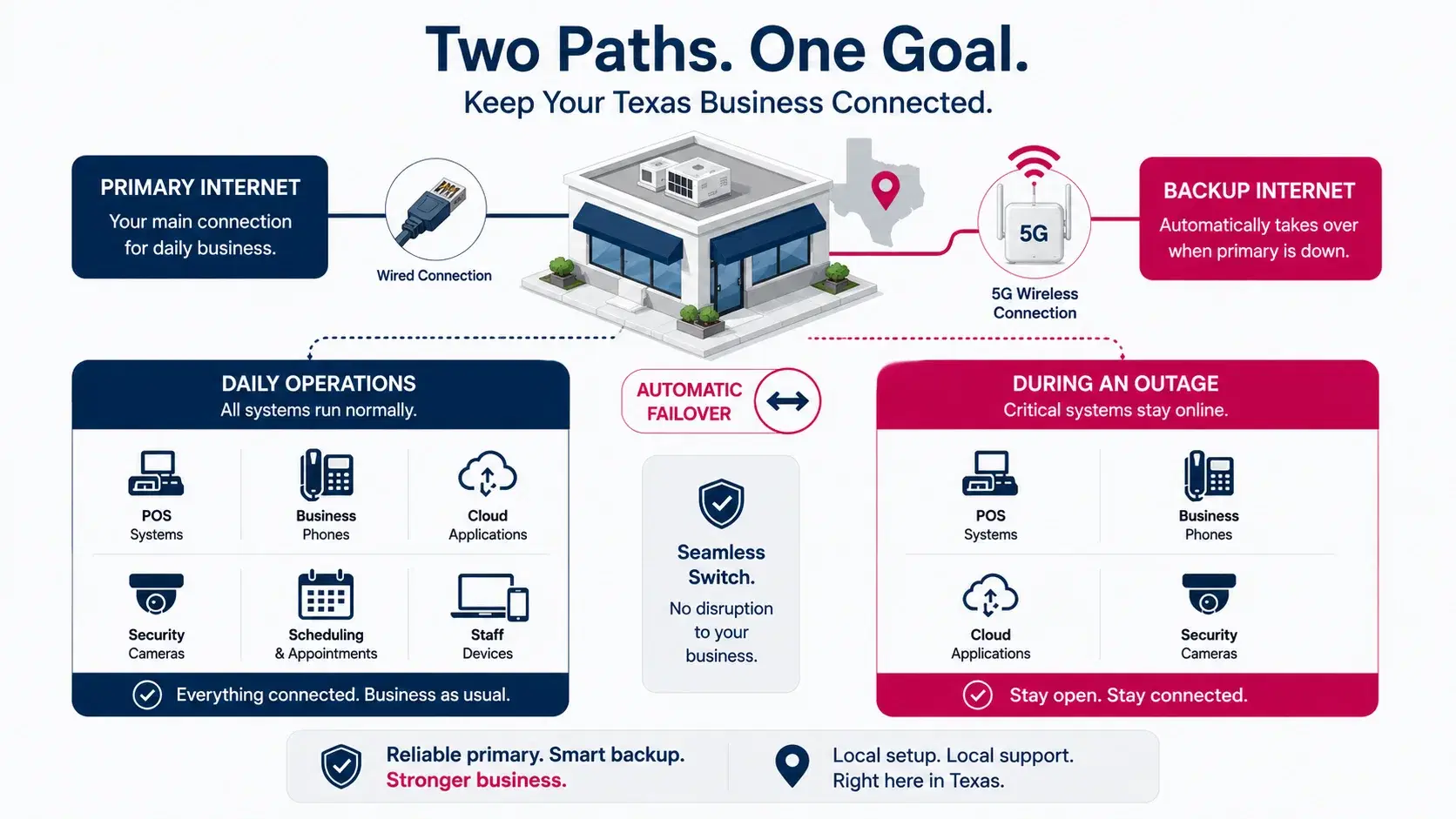
Focus on continuity. Decide which systems must keep working during an outage and which can wait. For example, a restaurant may need payments and online orders to remain available, while a clinic may prioritize phones and scheduling. A small office may need email, cloud documents, and voice service. The backup plan should be built around the minimum set of essential operations.
Some businesses may choose T-Mobile 5G Business Internet as a primary option where the exact address and use case are suitable. Others may use 5G as a backup behind an existing wired line. The correct role should be determined after an address-level review rather than assumed from a general coverage statement.
Check Availability at the Exact Business Address
An availability check should use the full street address, city, and ZIP code. A city-wide statement is not enough to confirm that a service is appropriate for a particular storefront, office, clinic, warehouse, or suite.
The exact address matters because building conditions and placement can influence the setup. A corner retail location with windows may have different conditions from an interior office suite, a metal warehouse, or a multi-story building. Nearby service conditions may also vary. The address check is therefore the first filter, not the last step after a plan has already been selected.
Use the address conversation to provide context. Mention the type of business, whether the service is intended to be primary or backup, the number of essential systems, and any known placement limitations. That information helps the local partner review the address in relation to the actual use case.
Avoid treating availability as a universal guarantee. The best language is specific and honest: check the exact address, review the business systems, and then decide whether the option appears suitable.
Review Equipment, Gateway Placement and Network Connections
Business internet equipment needs a suitable location. A gateway may work best near a window or in an open area rather than inside a cabinet, behind metal shelving, or in a distant interior room. The right position depends on the building and should be tested during setup.
Also review how the gateway will connect to the existing business network. A very small office may connect a limited number of devices directly. A larger location may use a router, switch, Wi-Fi access points, phones, cameras, and several payment terminals. The internet service is only one part of that environment.
Ask the following practical questions before activation:
- Where can the gateway be placed without disrupting the workspace?
- Will existing routers, switches, or access points remain in use?
- Which devices must connect by cable and which can use Wi-Fi?
- Does the business need separate staff and guest networks?
- For backup service, how will critical devices switch to the secondary connection?
- Who will test payments, phones, cameras, and cloud systems after setup?
These questions do not require the owner to become a network engineer. They ensure that equipment placement and business-system connections are part of the buying decision rather than an afterthought.
Plan Activation and the Transition From the Current Service
A new service should be activated and tested before the current primary connection is cancelled. This is one of the simplest ways to reduce transition risk.
Choose a setup window that does not conflict with the busiest business hours. Keep account information, equipment details, and contact information organized. After activation, test the systems that matter most: process a card payment, make and receive a business call, confirm camera access, open scheduling and cloud applications, and check staff devices.
For a business moving locations, the timing may need to coordinate with construction, furniture installation, phone setup, security systems, and opening-day operations. For a business adding backup internet, the test should include a controlled interruption of the primary line so the team understands how the backup process works.
Document the final equipment location and basic restart steps. The goal is not to create a technical manual. A short internal note can help the owner or manager know what to check before requesting support.
Compare Ongoing Support, Not Only the Initial Offer
The service relationship continues after activation. Compare how questions will be handled when the business needs an account change, another mobile line, equipment-placement guidance, or support for a second location.
A local partner can be useful because the initial address and business use case are already understood. Local5GDeals helps Texas businesses review T-Mobile Business Internet, 5G backup internet, business mobile lines, activation, setup, and follow-up. T-Mobile provides the network and official service support; the local partner adds an address-first business review and a local relationship around the setup.
Ask who to contact for each type of need. Billing, network troubleshooting, equipment replacement, and account administration may follow different support paths. Clear expectations help the business know when to contact the local partner and when to use official T-Mobile support channels.
Support quality is not only about how quickly someone responds. It is also about whether the person understands the business context and can help route the next step without making the owner start the entire explanation again.
Use a Simple Decision Checklist
Before choosing business internet, confirm that you can answer the following questions:
- Which business systems are essential every day?
- Which systems must stay available during an outage?
- Is the service being considered for primary use, backup use, or both?
- Has availability been checked at the full business address?
- Where will the gateway and related equipment be placed?
- How will the new service connect to POS terminals, phones, cameras, scheduling tools, cloud systems, and staff devices?
- What is the activation and transition plan?
- Who will help before activation, during setup, and after the service is live?
If those questions are answered, the business is in a much better position to evaluate an option. If several answers are still unclear, request a local review before making the switch.
Request a Local Address and Use-Case Review
A local review should be simple. Provide the business street address, city, ZIP code, phone number, email address, and the service type you want reviewed. Then add a short explanation of the systems involved and whether the need is primary internet, backup internet, mobile lines, or a combination.
Local5GDeals supports business reviews in Houston, Dallas, Austin, San Antonio, Fort Worth, El Paso, Arlington, and Corpus Christi. The eight markets help identify the local area, but the final discussion should still begin with the exact address and business use case.
Do not wait until after ordering to ask about placement, transition timing, or backup requirements. Those questions belong at the beginning of the process. An address-first review helps keep the decision practical and avoids building the plan around assumptions.
Choose the Setup That Fits the Business, Not Just the Advertisement
Business internet should support the way the company works. Start with POS systems, phones, cameras, scheduling, cloud applications, and staff devices. Decide whether the connection will be primary or backup. Check availability at the exact address. Review gateway placement and network connections. Plan activation before cancelling the current service. Finally, compare the support available after the equipment is installed.
This framework is intentionally simple. It helps a small-business owner make a more informed decision without relying on a list of technical specifications or a promise that may not apply to the location. The exact address and the essential business systems should guide the next step.
Frequently Asked Questions
What should I consider before choosing business internet?
Start by identifying the systems your business relies on every day, such as POS terminals, VoIP phones, cloud applications, scheduling software, security cameras, and payment processing.
Should every business have backup internet?
Not every business requires backup internet, but businesses that rely on continuous connectivity for sales, customer service, or operations should consider reviewing backup options.
Why should I check address-level availability first?
Internet availability depends on your exact business address. Checking availability first helps ensure you're reviewing services that can actually be provided at your location.
Does equipment placement affect internet performance?
Yes. Proper equipment placement can improve coverage throughout your business and help reduce connectivity issues caused by physical obstacles or poor positioning.
Can I switch business internet without major downtime?
With proper planning and scheduling, many businesses can transition to a new internet service with minimal disruption to daily operations.
Why choose a local business partner instead of ordering online?
A local partner can review your business requirements, verify address availability, assist with activation, recommend suitable solutions, and provide ongoing support after installation.
How do I get started?
Request a business availability review through Local5GDeals. A local partner will evaluate your address, discuss your business requirements, and help you choose the most suitable connectivity solution.